Keyboard Shortcuts
When working with Adobe Lightroom plugins, keyboard shortcuts can significantly speed up your workflow.
General Lightroom Shortcuts
| Action | Windows | Mac |
|---|---|---|
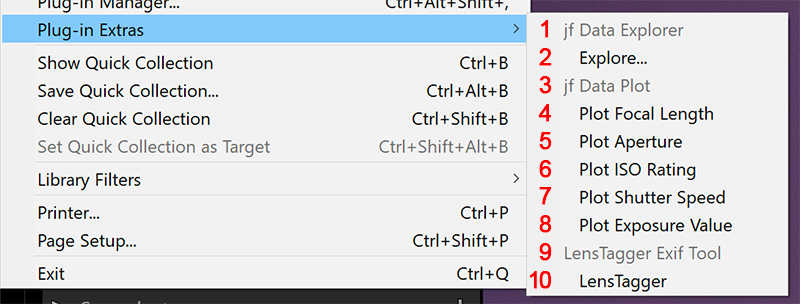
| Open Plug-in Extras menu | Alt+F, P | Cmd+Option+P |
| Show/Hide Side Panels | Tab | Tab |
| Show/Hide All Panels | Shift+Tab | Shift+Tab |
| Library Module | Ctrl+Alt+1 | Cmd+Option+1 |
| Develop Module | Ctrl+Alt+2 | Cmd+Option+2 |
LensTagger Specific
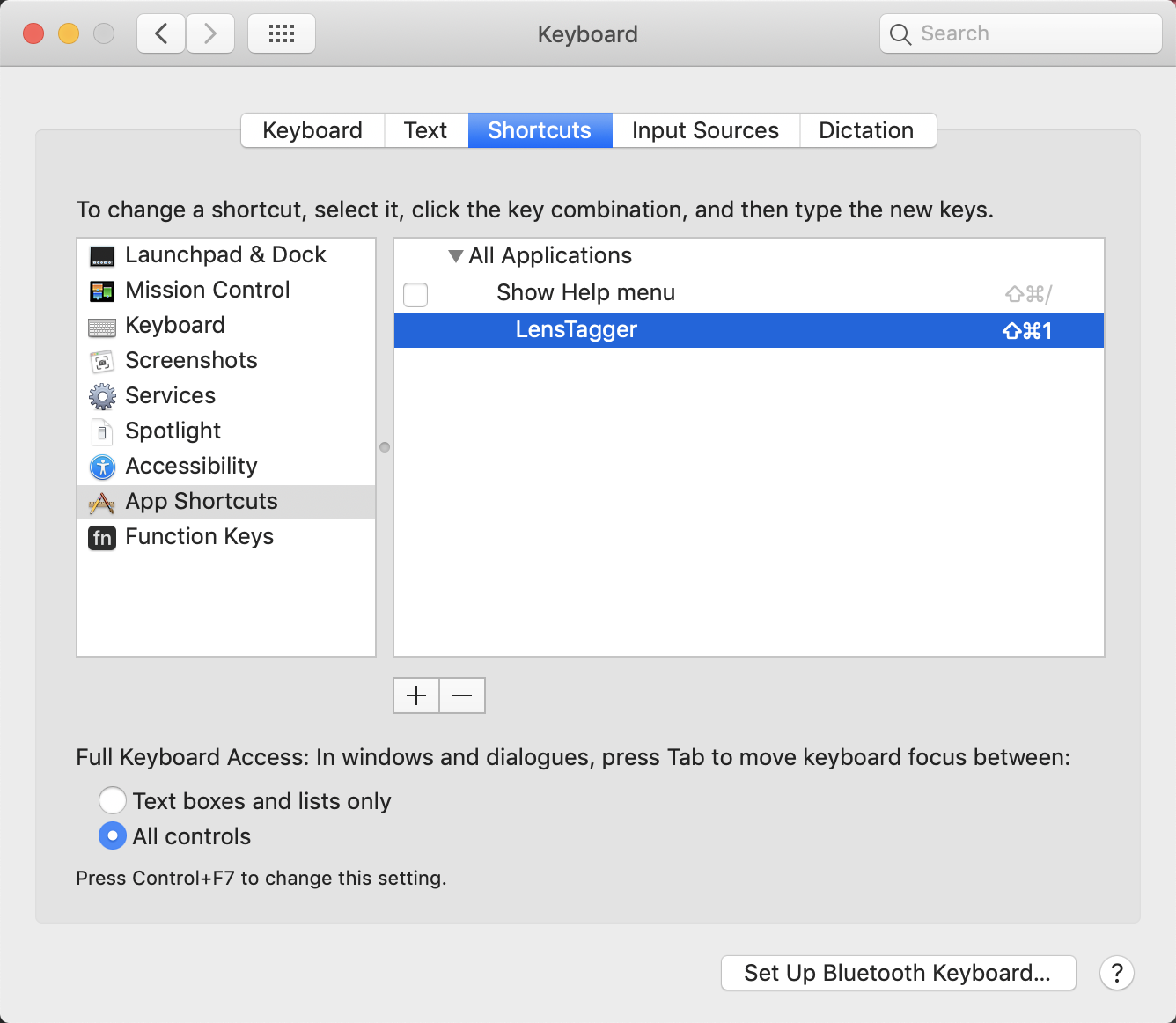
LensTagger doesn’t have its own default keyboard shortcuts, but you can assign them:
- Go to Edit > Keyboard Shortcuts (Windows) or Lightroom Classic > Keyboard Shortcuts (Mac)
- In the Application Menus section, find Library > Plug-in Extras > LensTagger
- Assign your preferred shortcut
Useful Plugin Manager Shortcuts
| Action | Windows | Mac |
|---|---|---|
| Open Plug-in Manager | Ctrl+Alt+Shift+, | Cmd+Option+Shift+, |
| Refresh Plug-in List | F5 | F5 |
Screenshots