Installation
1. Download the plugin
Download the latest version from the Downloads page .
2. Install ExifTool (required for versions before 1.9.0)
Windows:
- Download exiftool from Phil Harvey’s website
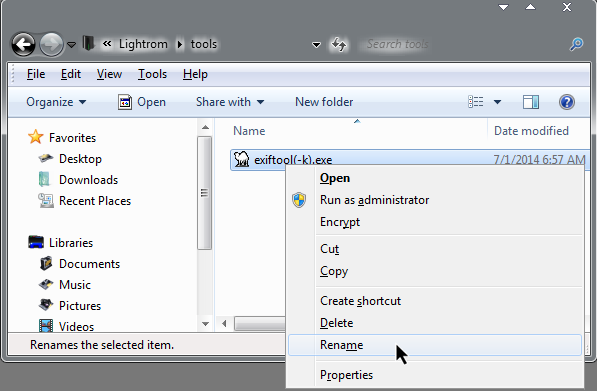
- Remove the
(-k)from the filename (e.g., renameexiftool(-k).exetoexiftool.exe) - Place
exiftool.exein the plugin folder or anywhere in your PATH
Mac:
- Download the ExifTool package installer from Phil Harvey’s website
- Run the installer package
As of Version 1.9.0 ExifTool comes bundled with the plugin, so this step is optional.
3. Install the plugin in Lightroom
- Open Lightroom Classic
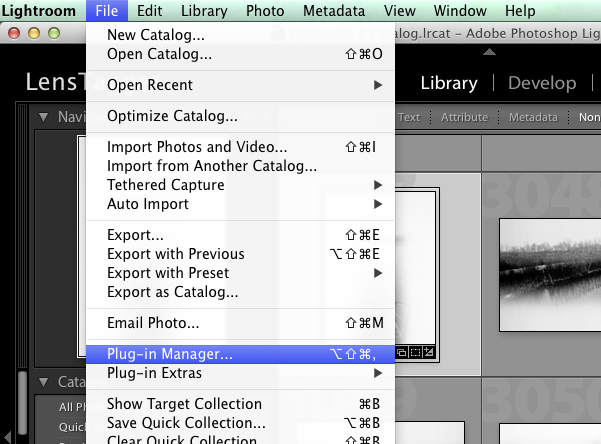
- Go to File > Plug-in Manager
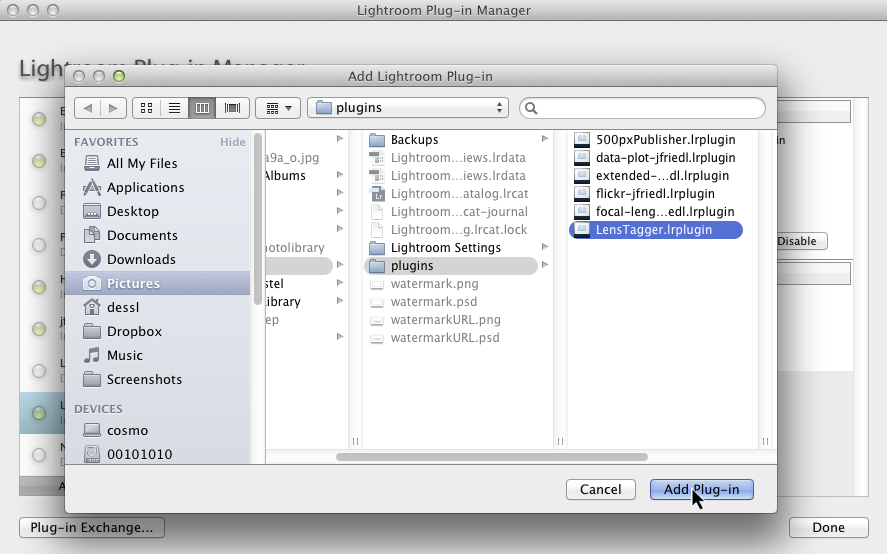
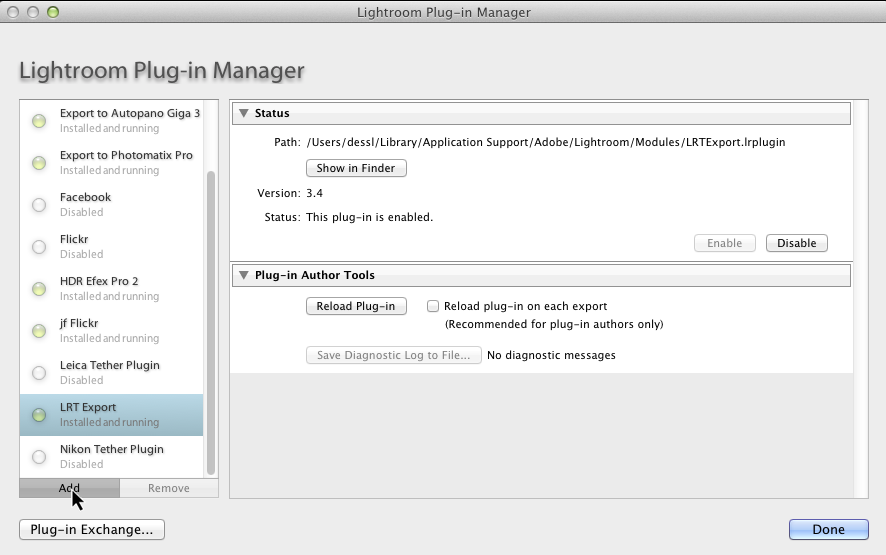
- Click Add and select the
LensTagger.lrpluginfolder (not the zip file) - Click Done
4. Configure the plugin
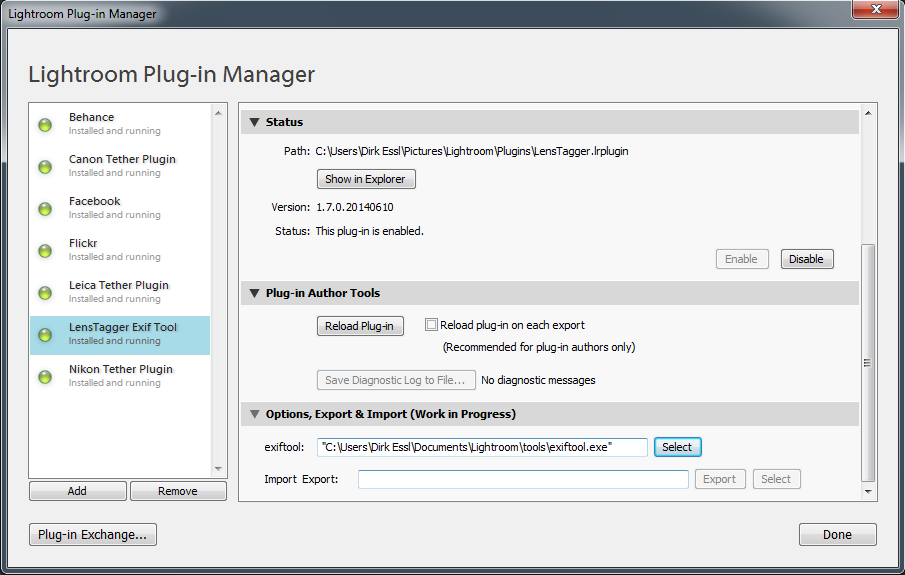
- In Plug-in Manager, select LensTagger
- If you didn’t bundle ExifTool, set the path to exiftool.exe
- Click Done
5. Windows ExifTool options
6. Mac ExifTool (using Wine)